Campus Resource Scheduler Application Project

The Campus Resource Scheduler (CRS) was an application I develope with 4 other students over the course of my ICS 314 - Software Engineering class. Here is the GitHub Page and the GitHub Organization for the project. Overall, the project was a great success and one which I will never forget.
Overview
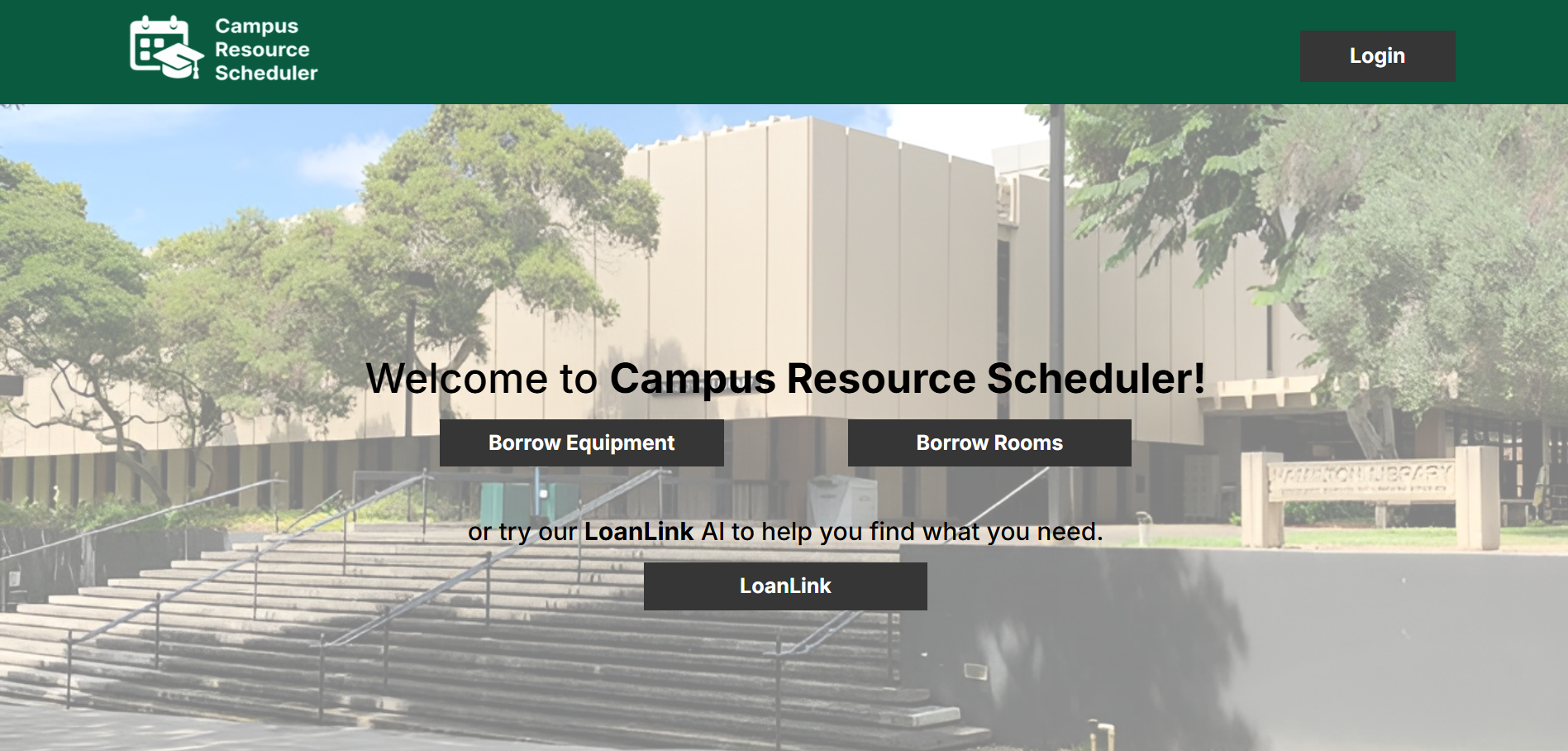
As a part of the University of Hawai’i (UH) community, this project team wanted to solve a problem common to all students attending school on a UH campus - where to borrow a resource that they will need for some time? The Campus Resource Scheduler or CRS application aims to solve this problem by providing a central hub of both physical resources and locational resources to any UH community member who may need it for a set time. This system stores an online database of available resources that users can choose from, pick up at a specified location, and return to the same location.
Many applications of the CRS apply to the everyday lives of UH community members. Individuals who forgot to bring an important piece of equipment such as a writing utensil can use the CRS to quickly and easily borrow that piece of equipment for use and return it later. Additionally, individuals who may be going to a special or important event such as an exam can also use the CRS to retrieve an essential resource that they need for that event. Furthermore, physical spaces such as study rooms and labs are also covered by the CRS, so that UH community members who are looking for a space to complete a particular task can effortlessly rent the space for a set period of time. The CRS at its core aims to serve the UH community through providing an easy-to-use interface for borrowing all sorts of items related to academic life.
Users who engage with the CRS application will be able to customize their profile, quickly search for relevant resources to borrow, and see all the relevant details that are attributed to each resource, such as category, location, campus, appearance, and the date that it was made available. The user will also be able to filter through all of these classifications and find the resource that they most need. Additionally, there is a helper AI chatbot that will direct the user towards relevant resources to borrow based on their profile and what the user needs at that time. On the whole, the Campus Resource Scheduler will be able to suit the needs of any UH community member who is looking for a specific campus resource.
My Role
My role in this project was to manage the overall direction of the project through creating issues in each of the 3 project phases (M1, M2, M3) for the team members to complete. I also wrote and finalized all of the documentation on the GitHub page regarding the project overviews, mockup page ideas, user guide, developer guide, and community feedback sections. Within the team, I also directed each team member for guidance on how the User Interface (UI) of each page should look like. As the primary project manager and the leader for design choices, I made decisions that decided how the application would look like and what functionality it would have. In addition, I also was responsible for creating the “Your Resources” page within the application, where users could check each of their resources that they have borrowed and return those resources if they’re done with them. All in all, I handled most of the non-technical apsects of this project, and teammates could turn to me for help on creative choices.
Lessons Learned
As the main project manager, there were many responsibilities undertaken by me in order to ensure the smooth operation of each of the project phases. The first of these responsibilities was distributing the work that each team member (including me) were to do. Here, I learned that communication with the team was key to the project’s success. In private communication channels, I clearly laid out each of the 10 issues we had to complete for each project phase, and let each team member take 2 of these issues based on their strengths and preferences. I would then provide detailed instructions for each of these issues if necessary, because I knew that clear instructions lead to a more favorable outcome for all team members involved overall. The second of these responsibilities was managing all of the documentation relating to the project. As the overseer of the project, I was the best-equipped to take note of and record all of the intricacies of the application for which I recorded in the GitHub documentation. Always with a user-friendly focus in mind, I committed to explaining aspects of the project in an elegant yet comprehensive way to both potential users and my own team members. Other than this, I learned many software engineering techniques through the creation of my application page and other miscellaneous touch-ups throughout the coding repository. All in all, I found that no matter what your position in the team project is, communication between yourself and other team members is the crucial link to making a truly wonderful project. Through careful coordination and comprehensive planning and updating, any task can be overcome with the combined efforts of many.